

This page is also available in Arabic.
This is the close as the finance team runs it monthly. It assumes the ledger is already under Data (see Your first week).
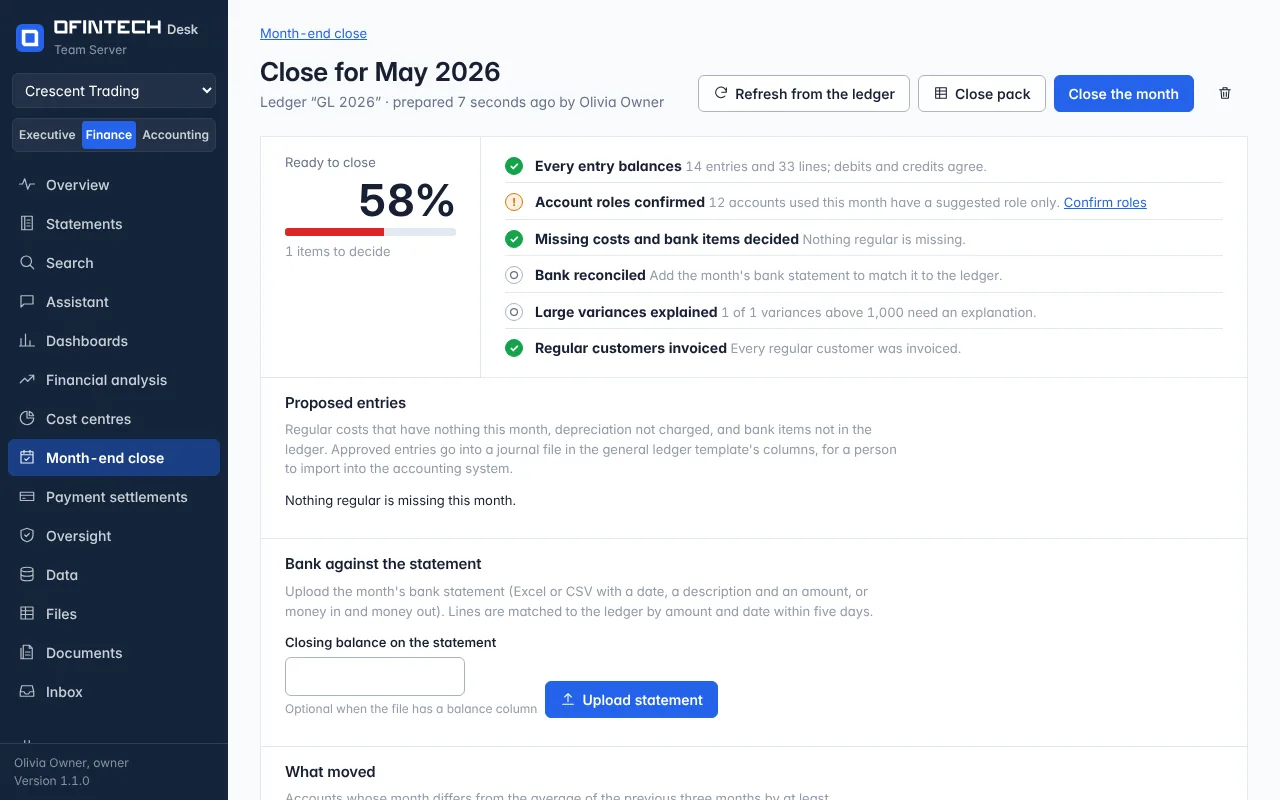
Steps
Import this month's export
Under Data, import the new file as the same ledger so the months add up.
Prepare the month
Month-end close → choose the month and the ledger. The checks take seconds.
Decide the proposed entries
Regular costs missing this month, depreciation not charged, bank items not in the ledger. Approve or reject each.
Match the bank
Upload the statement; lines match by amount and date within five days. Review what did not match.
Explain what moved
Each account that moved more than usual takes one line of explanation.
Close and export
Close the month and download the pack. The approved entries are in a journal file for the accounting system.