

This page is also available in Arabic.
What it does
The General ledger page shows the journal entries the workspace holds — imported from a file or synced from an accounting system — and two things built on them: the role of every account (bank and cash, other current assets, cost of sales, depreciation and amortisation…) and the integrity checks: entries that do not balance, single-line entries, lines without an account, lines without a usable date.
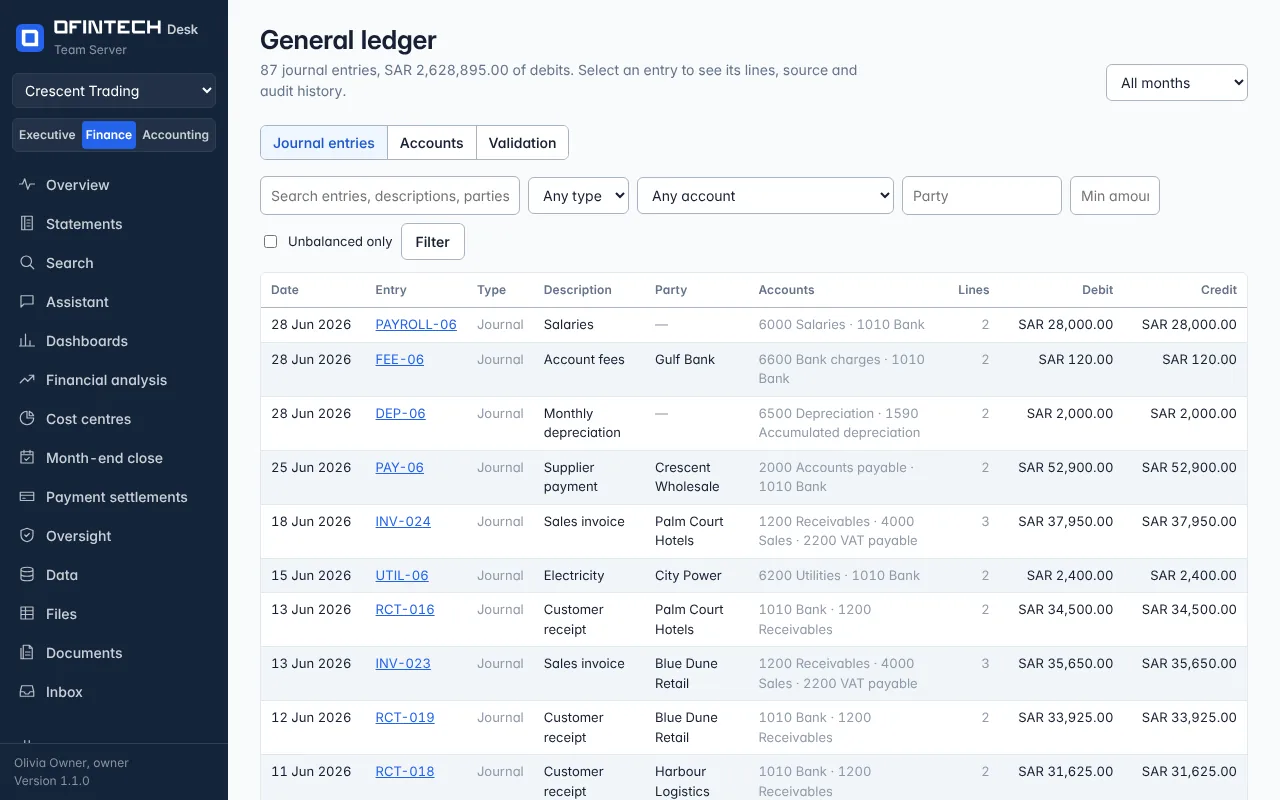
Why it is there
Every other page is derived from these lines. When a statement line is wrong, the cause is here: a role the engine guessed wrongly, or an entry that never balanced in the source system.
When to open it
- After the first import, to confirm the account roles once
- When the Overview marks figures unverified
- When the close reports entries that do not balance
How it works
Roles are suggested from account names and classes and marked as suggestions until a person confirms them. The checks run on every refresh and name the entries, so they can be corrected in the source system and re-imported; nothing is edited here, because the ledger is the source system's.
A scenario
A close reports 3 entries do not balance. The ledger page lists them: three bank transfers exported with one side only. They are completed in the accounting system, the ledger is re-imported, and the close is prepared again.
Steps
Confirm the roles
Each account's role is a suggestion until you confirm it; the statements use the confirmed role.
Read the checks
Entries that do not balance, single-line entries, lines without an account or a date.
Fix at the source
Correct the entry in the accounting system and import or sync again.
Questions
Can I edit a journal line here?
No. The ledger belongs to the accounting system; Desk reads it. Corrections are made there and imported again.