

This page is also available in Arabic.
What it does
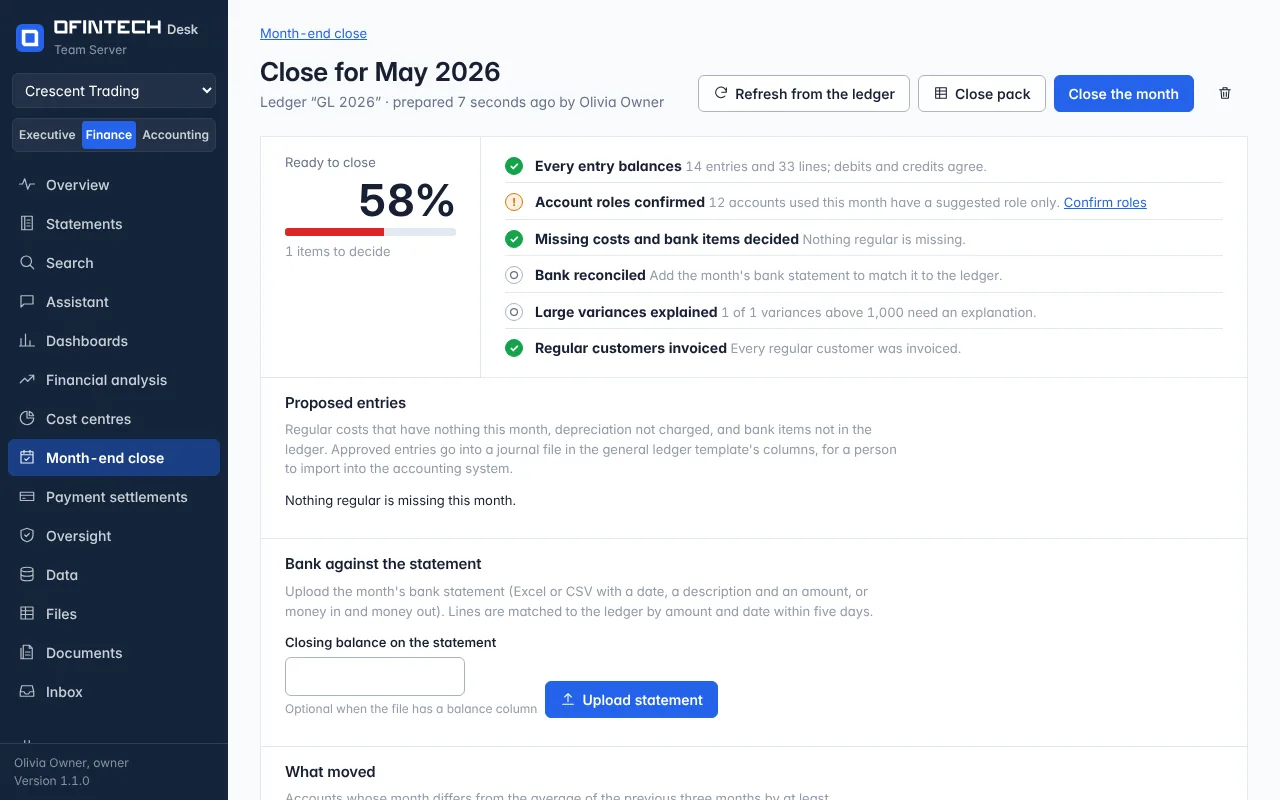
Choose a month and the close is prepared in seconds: whether every entry balances, whether the account roles are confirmed, which regular costs have nothing this month (the depreciation not charged, the rent that did not arrive), the bank statement matched to the ledger line by line, the accounts that moved more than usual, and whether every regular customer was invoiced. A readiness percentage says how much is left to decide. Nothing is posted to your accounting system.
Why it is there
A close is a list of questions someone has to remember to ask. Here the questions are asked by the engine, every month, the same way, and a person decides each answer and marks it reviewed.
When to open it
- On the first working day, for last month
- Again after corrections and a re-import, with refresh from the ledger
- When the auditors ask what was decided and by whom
How it works
Proposed entries — an accrual, a depreciation charge, a bank item not in the ledger — wait for a decision. Approved entries go into a journal file in the general-ledger template's columns, for a person to import into the accounting system. The month's bank statement (Excel or CSV) is matched by amount and date within five days. A workflow template prepares last month at 2 a.m. on the 1st and tells the finance team; it is saved as a draft for you to switch on.
A scenario
May is prepared: 12 accounts have a suggested role only and 1 variance above 1,000 needs an explanation. The roles are confirmed, the variance — a quarter-end accrual reversed in April — is explained in a line, the statement is uploaded and matched, and the month is closed with its pack exported.
Steps
Prepare the month
Choose the month and the ledger; the checks take a few seconds.
Decide the proposed entries
Approve or reject each; approved ones go into the journal file.
Add the bank statement
Excel or CSV; lines are matched by amount and date within five days.
Explain the variances and close
Each account that moved more than usual takes a line; then close the month and export the pack.
Questions
Does closing post anything to my accounting system?
No. Approved entries are written to a journal file for a person to import. Desk never writes to your books.
What is in the close pack?
The checks and their results, the decisions with who made them, the journal of approved entries and the bank match, as an Excel file.