

This page is also available in Arabic.
What it does
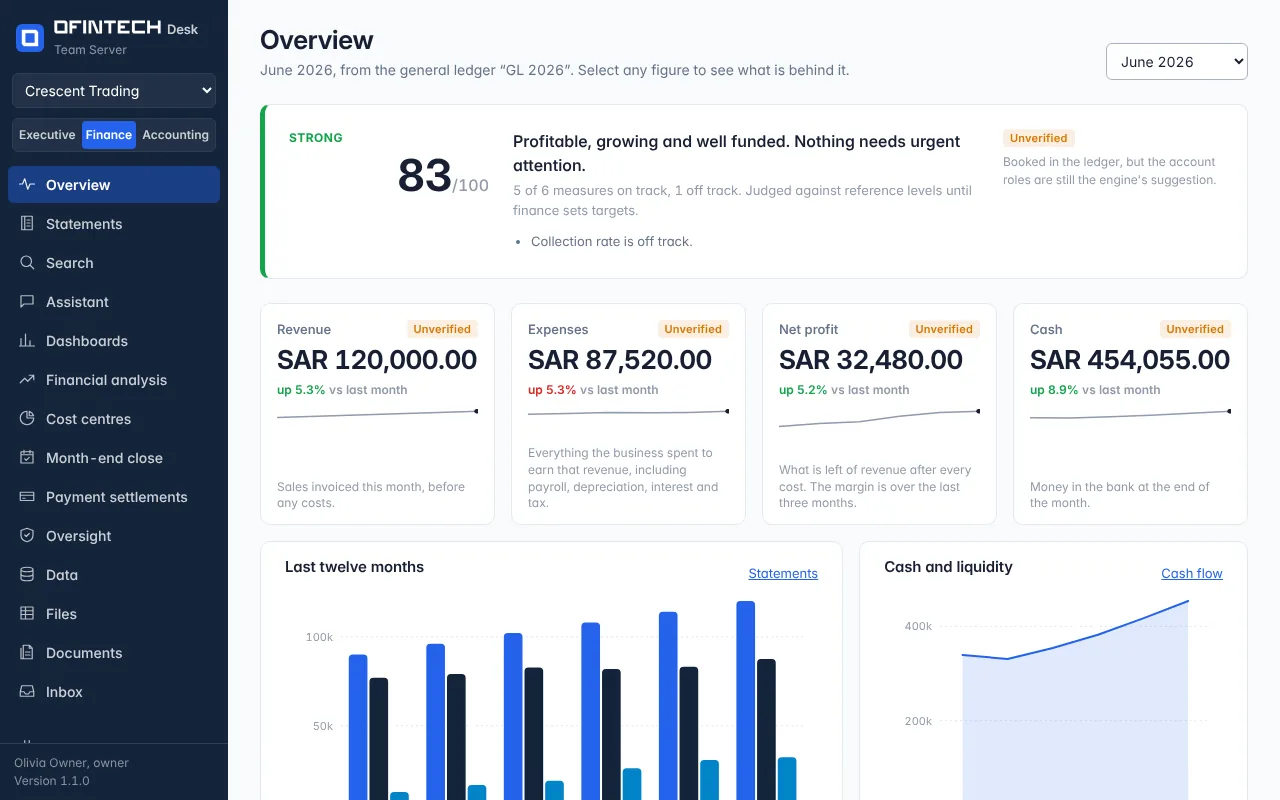
The Overview reads the general ledger for the month you choose and answers one question: is the business sound? It scores six measures against reference levels (or the targets your finance lead has set), writes the verdict in a sentence — from profitable, growing and well funded to cash or profit is under pressure — and lists what is off track.
Below the verdict are the month's revenue, expenses, net profit and cash, each with its change against last month and a line of the last twelve months, then the statements in brief: operating cash flow, free cash flow, what customers owe and what is owed to suppliers.
Why it is there
A finance team reads dozens of numbers to form one opinion. The Overview forms that opinion in the open: which measures it looked at, what each one was judged against, and which of them is the reason for the colour.
When to open it
- On the first working day, to see last month before anyone asks
- Before a management meeting, to know what will be questioned
- Whenever a figure in a report looks wrong — select it here and follow it to the entries
How it works
Every figure carries a badge. Unverified means it is booked in the ledger but the account roles are still the engine's suggestion; confirm the roles under General ledger and the badge goes away. A figure with no ledger behind it is not shown at all: the page asks for a ledger rather than inventing one.
A scenario
Cash fell 28% in a month while revenue grew. The Overview says days of cash on hand is off track and collection rate is off track; the receivables figure shows one customer paying two months late. The decision — chase the invoice, not cut costs — takes a minute instead of a meeting.
Steps
Choose the month
The selector at the top right lists every month the ledger covers.
Read the verdict
The sentence, the score out of 100 and the list of what is off track.
Follow a figure
Select any figure to see the accounts and entries it was built from.
Questions
Why does every figure say Unverified?
The account roles (which account is revenue, which is cost of sales) are still the engine's suggestion. Confirm them once under General ledger.
Where do the reference levels come from?
They are general reference levels used until your finance lead sets targets under Financial analysis; the page says which it used.