

This page is also available in Arabic.
What it does
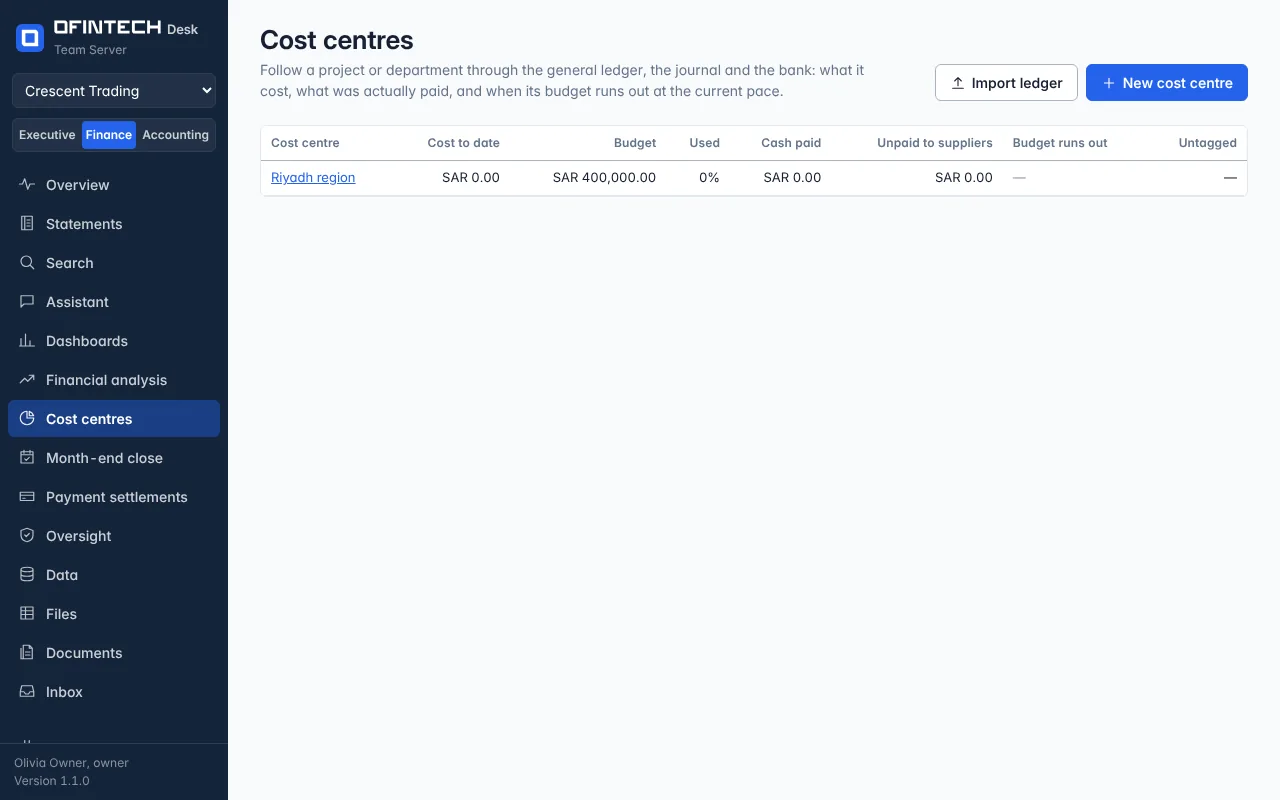
A cost centre is a set of rules — a tag in the ledger, accounts, suppliers or words in the description — that picks up the journal lines of one project or department. From those lines it shows cost to date, what is still unpaid to suppliers, and the month the budget runs out at the current pace. It works even when the ledger has no cost-centre field.
Why it is there
Projects are tracked in spreadsheets because the accounting system tags lines inconsistently. Rules tolerate that: a line tagged Project: Riyadh tower and an untagged bill that says rebar for Riyadh tower land in the same place.
When to open it
- When a project starts, with its budget
- Monthly, to see the pace against the budget
- When a supplier asks what is outstanding on a project
How it works
Import the general ledger from the template (one row per journal line) or export it from your accounting system with the same columns; sync from QuickBooks Online, Xero or Odoo also feeds it. Define the rules and preview how many lines they pick up before saving. A budget can be typed or read from the customer's own Excel file, cell by cell.
A scenario
The Riyadh region centre is built from the tag on sales and the region's bills. Its page says cost to date, unpaid to suppliers, and budget runs out in October at the current pace — two months before the planned end. The budget is revised before the overrun, not after.
Steps
Import or sync the ledger
The general-ledger template, an export with the same columns, or a connection.
Write the rules
A tag, accounts, suppliers or words; the preview counts the lines they pick up.
Set the budget
Type it, or read it from your budget file; the page then says when it runs out.
Questions
My ledger has no cost-centre column. Can I still use this?
Yes. Rules on accounts, suppliers and words in the description work without a tag.