

This page is also available in Arabic.
What it does
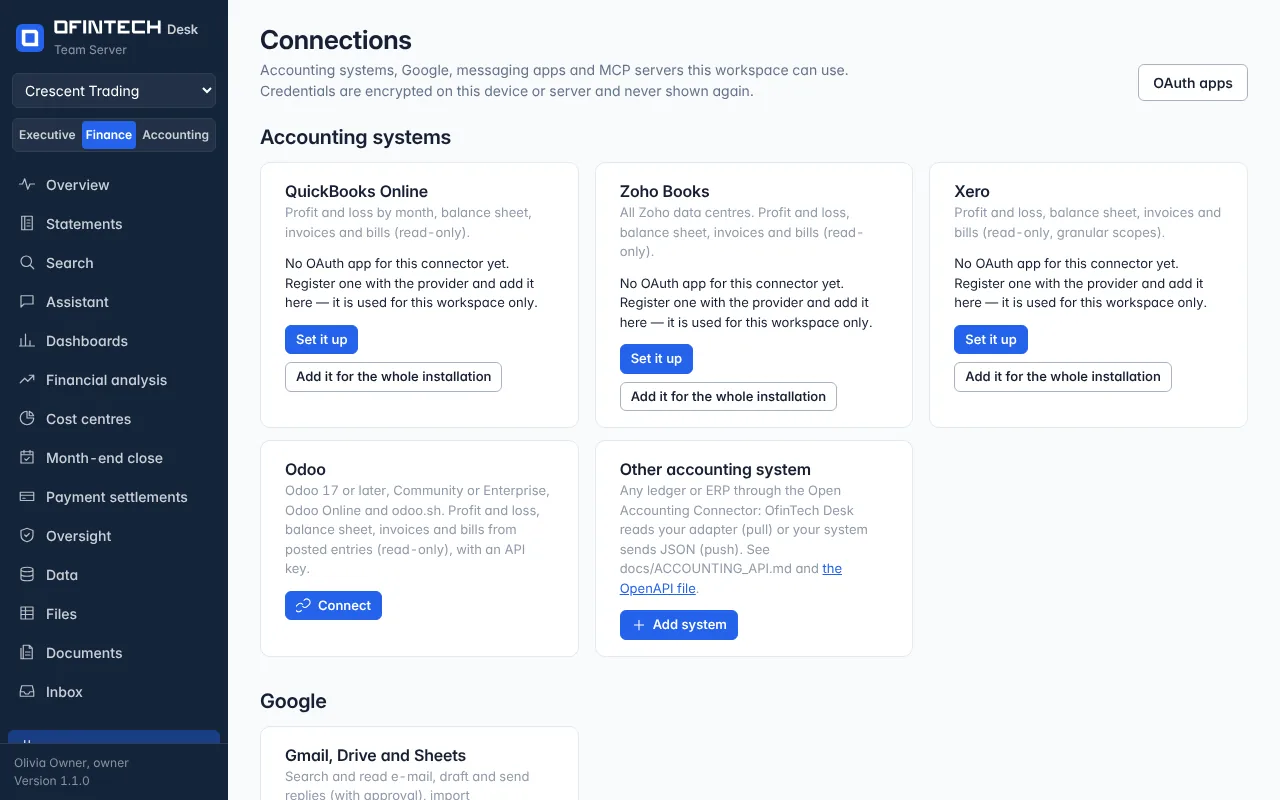
Connections is where the workspace meets the outside: QuickBooks Online, Xero, Zoho Books or Odoo for the ledger and the statements; Gmail, Drive and Sheets; Telegram and WhatsApp, where members ask the assistant after linking their own chat with a one-time code; MCP servers and outgoing webhooks. Each connection says when it last synced and what it reads.
Why it is there
A connection is a credential, and credentials deserve one page: what is connected, by whom, and what it is allowed to do. They are encrypted on this server and never shown again.
When to open it
- First, to connect the accounting system
- When a sync reports a problem
- To link a chat app, or to send a test event to a workflow
How it works
Signing in to an accounting system opens its own page in your browser; this page updates when the connection is ready and the first sync starts. Outgoing webhooks name the events they send: workflow runs, approvals decided, files created, forecasts approved, memory saved, datasets imported, members changed. Unlinked chats get no data, and approvals always happen in the app.
A scenario
Xero is connected on Monday. By Tuesday the statements, the close and cost centres read from the synced ledger, and the dashboard templates for P&L, receivables and payables are available.
Steps
Connect the accounting system
Sign in on its page; the first sync starts when it is ready.
Link a chat, if you use one
Each member links their own with a one-time code.
Questions
Can Desk write to my accounting system?
The accounting connections read. Entries approved in the close go into a journal file for a person to import.