

This page is also available in Arabic.
What it does
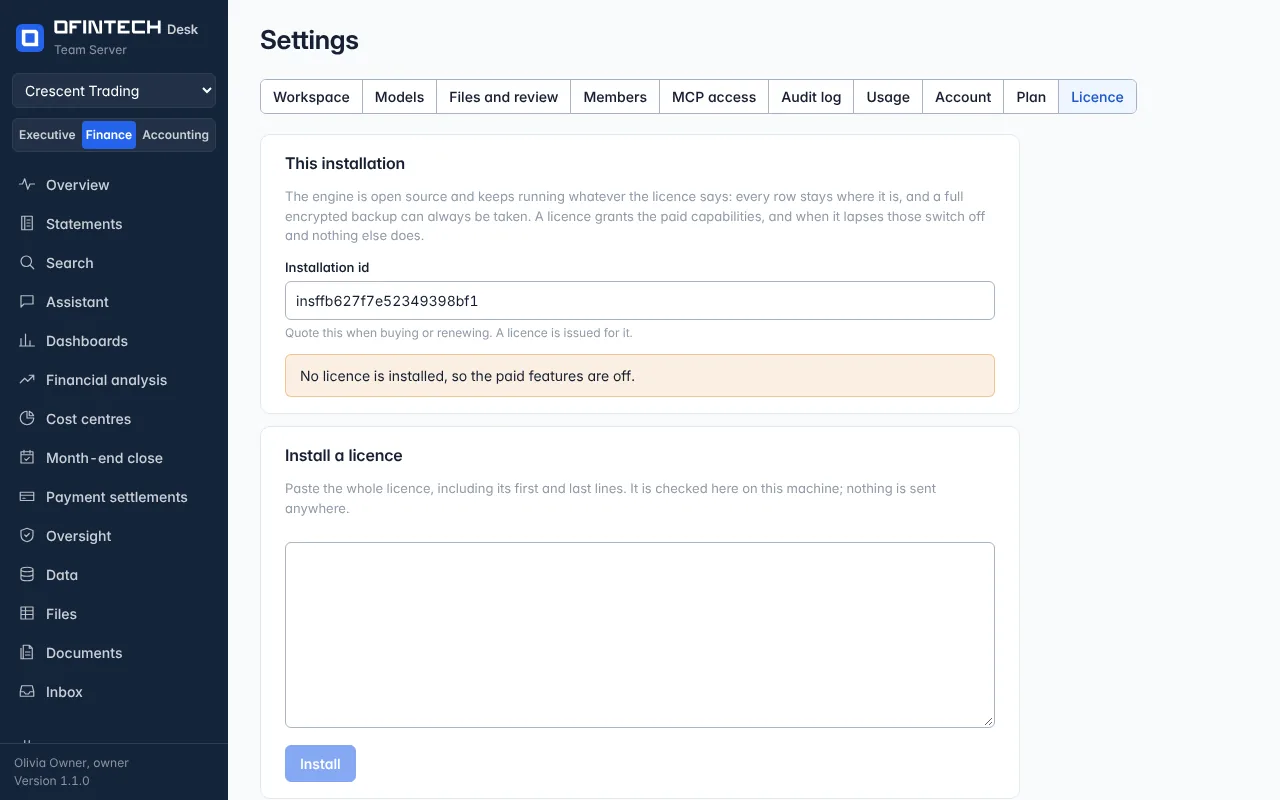
On a self-hosted installation, Settings → Licence shows the installation id, the licence installed, and how long it is valid. A licence is issued for one installation id and checked on that machine; nothing is sent anywhere to verify it.
Why it is there
The engine is open source and keeps running whatever the licence says: every row stays where it is, and a full encrypted backup can always be taken. A licence grants the paid capabilities, and when it lapses those switch off and nothing else does.
When to open it
- When the installation is set up, to read its id for the order
- When a licence arrives, to install it
- In the last month of the term, which the rail announces
How it works
Paste the whole licence, including its first and last lines. It is signed; a licence for another installation or one that has been altered is refused and the old one stays in place. After the end date there is a grace period, then the paid capabilities switch off. If the machine's clock is behind the latest date the installation has seen, the later date is used and the page says so.
A scenario
The term ends in 20 days; the rail says so. The administrator quotes the installation id to renew, pastes the new licence when it arrives, and the page shows the new end date. Nothing was restarted.
Steps
Read the installation id
Quote it when buying or renewing.
Install the licence
Paste the whole text; it is checked on this machine.
Questions
What stops working when the licence ends?
The paid capabilities, after the grace period. The open product, the data and backups do not.