

This page is also available in Arabic.
What it does
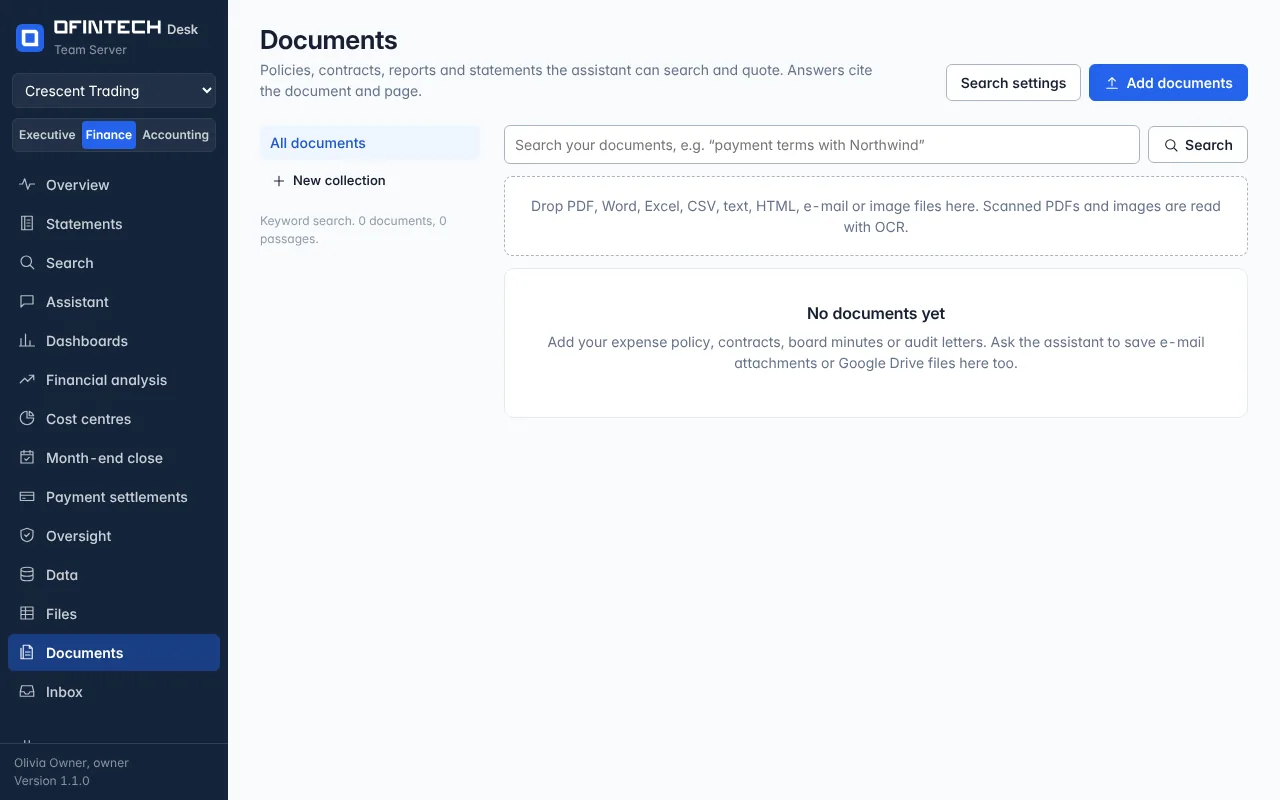
Documents is the workspace's reading: PDF, Word, Excel, CSV, text, HTML, e-mail and image files, in collections you name. Scanned PDFs and images are read with OCR. The assistant and Search quote passages from them with the document and page.
Why it is there
Expense policies, contracts, board minutes and audit letters are where the answers to why live. Keeping them here means the assistant reads the actual clause rather than remembering a summary.
When to open it
- At the start, with the policies the team applies
- When a contract is signed or a letter arrives
- To tune search: keyword always works; an embedding model adds semantic search
How it works
Drop files into a collection. Keyword search (BM25) runs on this server and always works; adding an embedding provider under search settings also finds passages that use different words, and the page says plainly that embedding a document sends its text to that provider. The original can always be downloaded.
A scenario
What is our policy on advances to staff? The assistant quotes the paragraph from the expense policy, page 4, and the memory where the controller set the limit. The answer is a citation, not a recollection.
Steps
Make a collection
Contracts, policies, audit — whatever the team looks for together.
Add documents
Drop the files; scans are read with OCR.
Search or ask
Results and answers cite the document and page.
Questions
Does adding a document send it anywhere?
Not by itself. Keyword search runs here. Only if you add an embedding provider is the text sent to it, and the page says so where you turn it on.